Posts

Showing posts with the label plugin

Use Plugin Code Editor - Part 4/4: Retrospect

I this post, I will retrospect my work on this and share lessons learnt. Please click TOC link on right side to jump to specific section or See more Use Plugin Code Editor - Part 1/4: Demo Use Plugin Code Editor - Part 2/4: Intro Use Plugin Code Editor - Part 3/4: Custom Use Plugin Code Editor - Part 4/4: Retrospect Know Issues button title, there are 7 js errors  for each plugin in console when rendering native page, Code Editor in native demo page sometimes occupies the whole page width sql syntax check, in the pages using item binding syntax validation, can not return detailed error info like ORA-xxx message, in the pages using item binding syntax validation, can just go to inline with field or in notification area. Query Builder, can be enabled but does not work Testing No tests no bugs. If you find, please feel free to leave your comments here or in github repo . Technical Support Now Oracle APEX provides official release for these two plugins with APE...

Use Plugin Code Editor - Part 3/4: Custom

If you are visiting this page, I suppose you have been encountering these issues I mentioned in my previous post. I am joking. May be or may be not. That's OK. In this post, I will go through these issues case by case,  illustrate what I did to fix or provide a workaround and then explain how I customize Native, Hybrid and Editor to Textarea demo pages. Click the link in TOC  to jump to the section you are interested in or See more: Use Plugin Code Editor - Part 1/4: Demo Use Plugin Code Editor - Part 2/4: Intro Use Plugin Code Editor - Part 3/4: Custom Use Plugin Code Editor - Part 4/4: Retrospect Fix Issues Button Title If you use Code Editor plugin directly, you will get lots of errors  logged in console as below for button title/name translation. And from page, you will find these button title letters are upper case. Format(CODE_EDITOR.SHORTCUT_TITLE): too many arguments. Expecting 0, got 2 In order to fix this issue or provide a wo...

Use Plugin Code Editor - Part 2/4: Intro

I suppose you have viewed demo page and start to import one plugin in your own application.  And you might want to know more about how to use these two plugins and go further to the detail. Then this post is going to introduce the basic interfaces for Code Editor plugin, including both item and region types. Click the link in TOC  to jump to the section you are interested in or See more: Use Plugin Code Editor - Part 1/4: Demo Use Plugin Code Editor - Part 2/4: Intro Use Plugin Code Editor - Part 3/4: Custom Use Plugin Code Editor - Part 4/4: Retrospect What's Code Editor? Code Editor is the plugin for Oracle APEX internal applications that wraps CodeMirror, enables SQL and PL/SQL syntax validation, integrates to APEX item component and provides region type variation named CLOB Code Editor. See Also: APEX-5.1 Doc: 7.3 Understanding Page Designer UI Elements If you check the annotation in file widget.codeEditor.js, you will find: /*! codeEditor - a...

Use Plugin Code Editor - Part 1/4: Demo

Image
If you want to use Code Editor plugin in Oracle APEX internal applications, you need 6 steps below to make it happen from scratch. get an application with f4000 theme (see  Use Theme: APEX 5.0 ) import f4000 to your APEX and export plugin "Code Editor" create test pages using Code Editor detect and add missed CSS and JavaScript files grant corresponding privilege to application parsing schema check issues and fix rock and roll Note: Here using internal Theme APEX5.0 is not mandatory but it's helpful from scratch. Now, you could jump over these steps,  import my demo applications and start you work with Code Editor. Demo If you find page loading without GIFs, please click HD GIFs link below (Due to the GIF size, it will take a while to load.): Native Hybrid Migrated Native Main features: theme APEX 5.0 supported all item type Code Editor plugins with 9 supported code modes with 11 items based on supported modes (PL/SQL Expression and Fun...

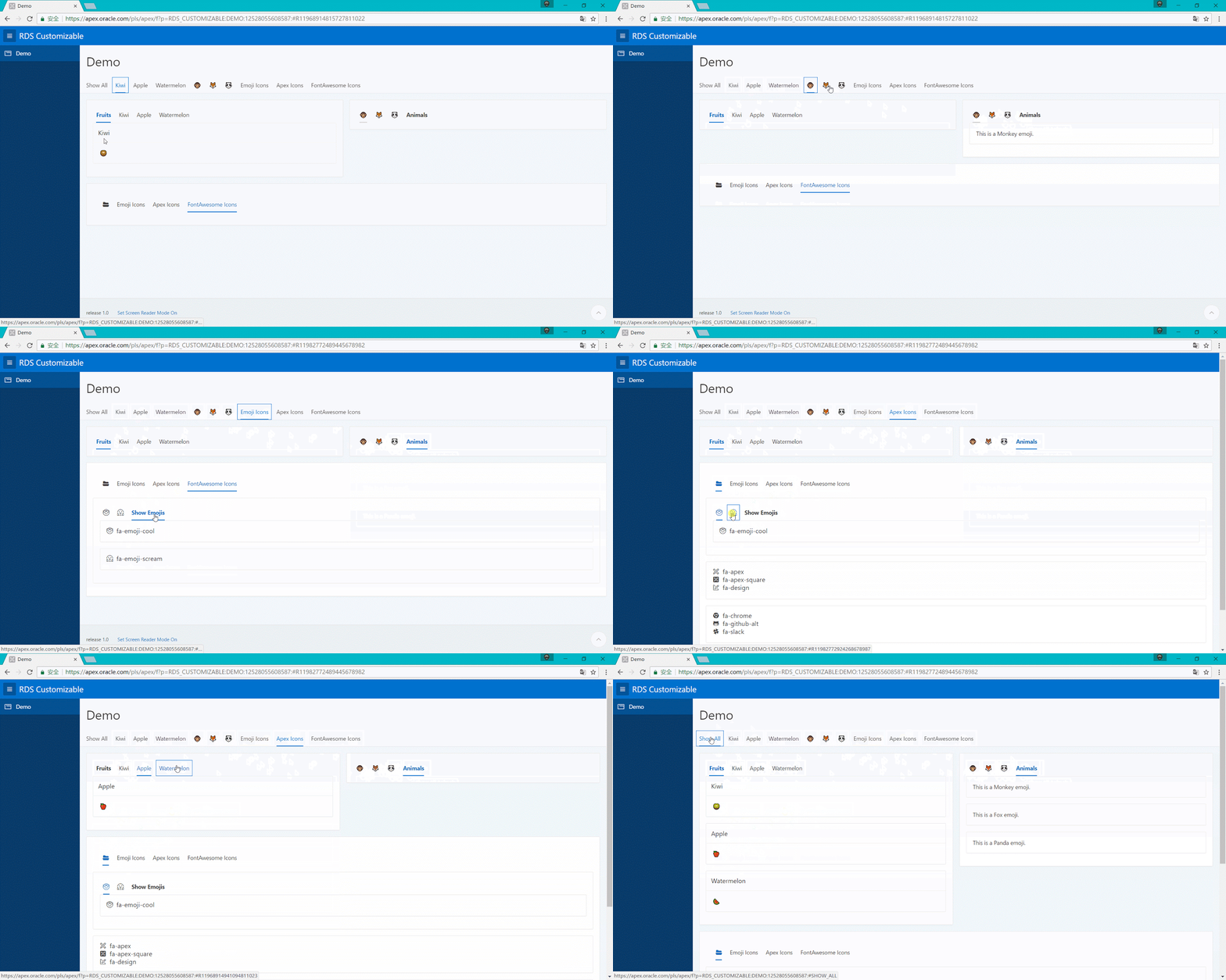
RDS Customizable for APEX 5.1

Image
Background Is there a way to set a parent for regions that allocated or assigned to Region Display Selector, especially when there are multiple RDSes in one page? This is the first question when I used RDS in APEX 5.1. I think this is a common question after you find there is a Yes/No option for RDS without a parent node. Then I posted this question to Steven's Blog . er, Yes, I did. It's an old post but Steven still replied and re-posted my question to his twitter after checking with his team. How professional! And then I got the answer is no. No default or original way but the workaround with template or region type. Then I found the plugin RDS Customizable  (link is original design with version 1.1 ). It's for APEX 4+. I used it on APEX 5.1 and found there are some slight bugs. Now I renew it to work gracefully with 5.1 and update source code to github folder . region_type_plugin_com_blogspot_apexnotes_apex_rds_customizable_V1.2.sql : plugin v1.2 source code ...